Start Fresh with the Midyear Digital Planner
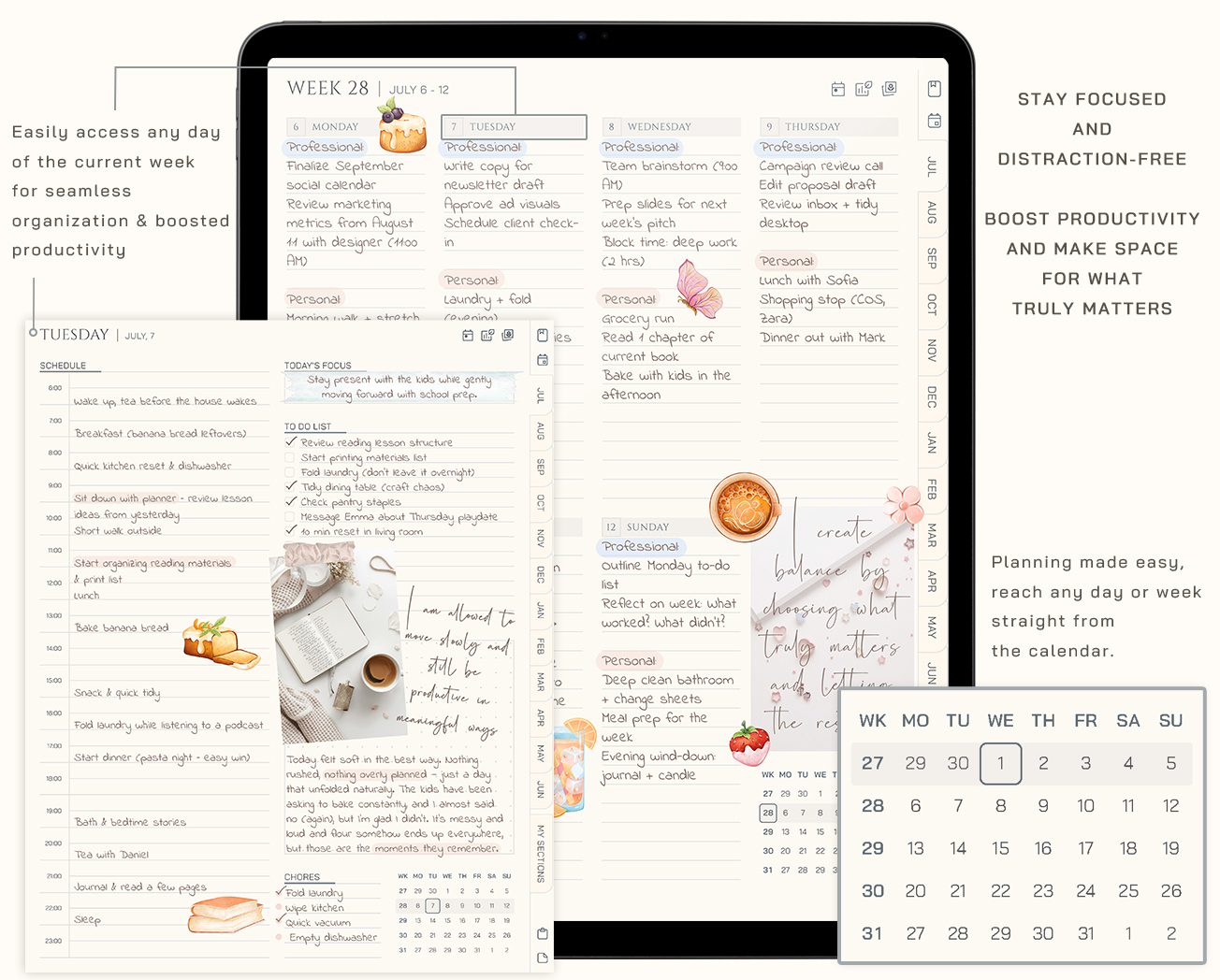
Everything you need to plan the rest of your year in one beautifully linked Digital Midyaer 26/27. Daily, weekly, and monthly pages designed for calm, focused planning on your tablet.
Start Fresh with the Midyear Digital Planner
Colors included
Compatible with
Works on iPad & Android tablets
Use with a stylus for the best experience
Best value
Midyear Planning System
The planner helps you organize your year. The journal gives you space to reflect and stay connected to your goals. The stickers make the whole setup feel personal from the first page.
- Midyear Planner 26/27
- Midyear Journal 26/27
- 490+ School Sticker Pack
Your price
Still deciding?
Just getting started?
Midyear Planner 26/27
Perfect if you only need one planner right now. Simple, focused, and ready to use
$15Love the old-school feel?
Cozy Midyear Planner 26/27
A warm, paper-inspired planner with 100 cozy stickers for making it truly yours.
$8
This Is Simplicity
You won’t believe how easy planning can feel
- Clear pages mean a clear mindNo unnecessary sections or visual noise, just space to focus on what actually matters.
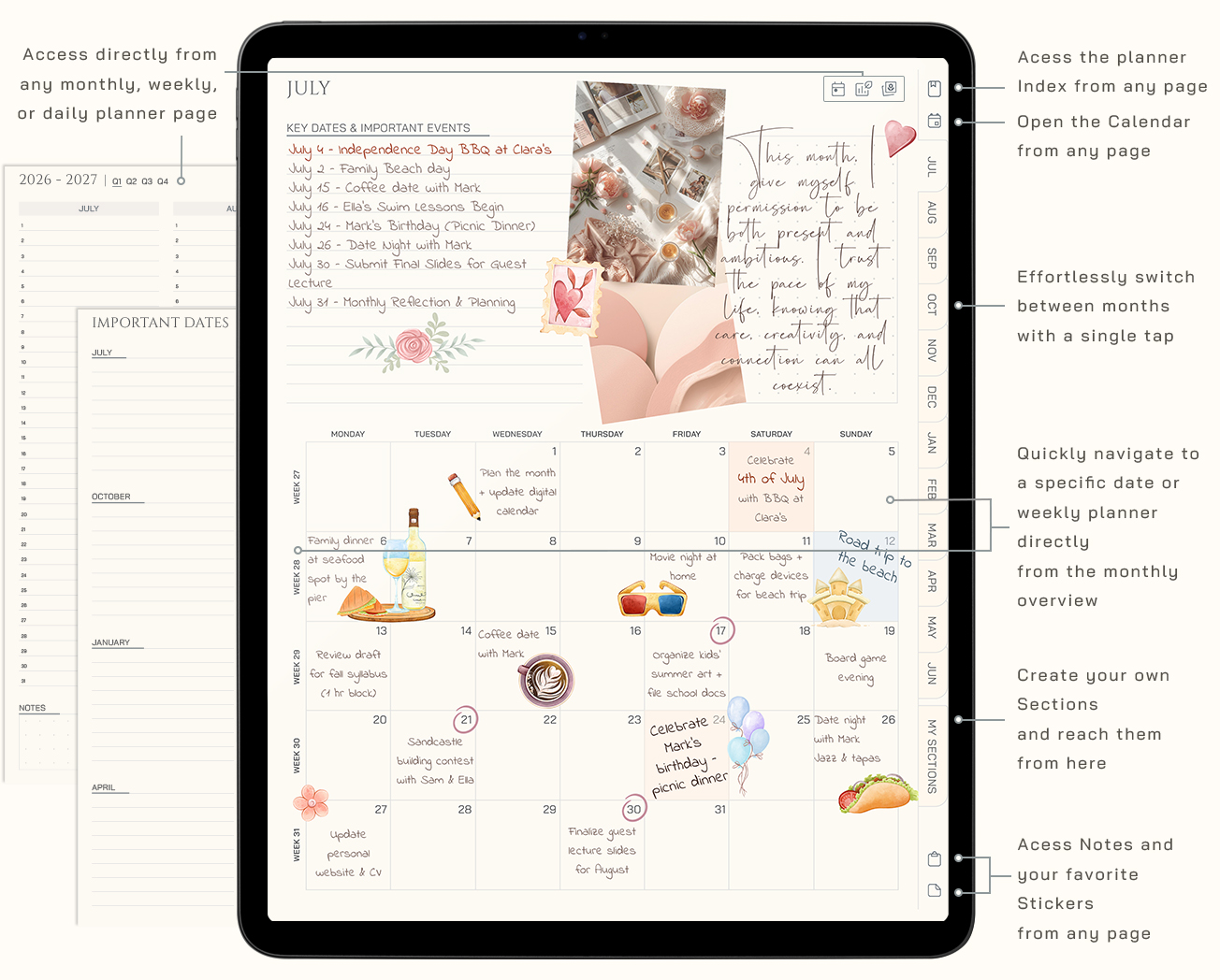
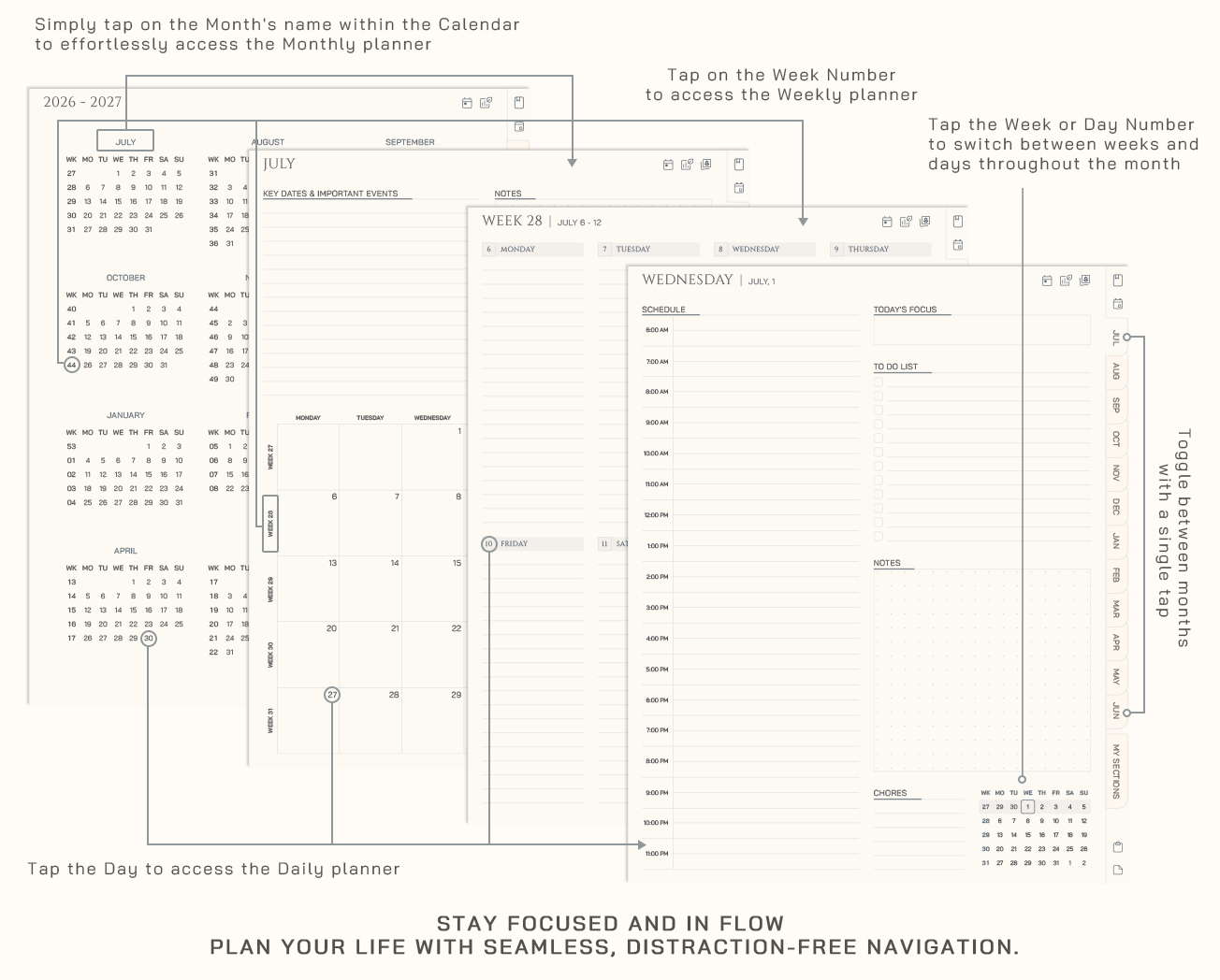
- Go anywhere in a tapHyperlinked pages let you move through days, weeks, and months without losing your flow.
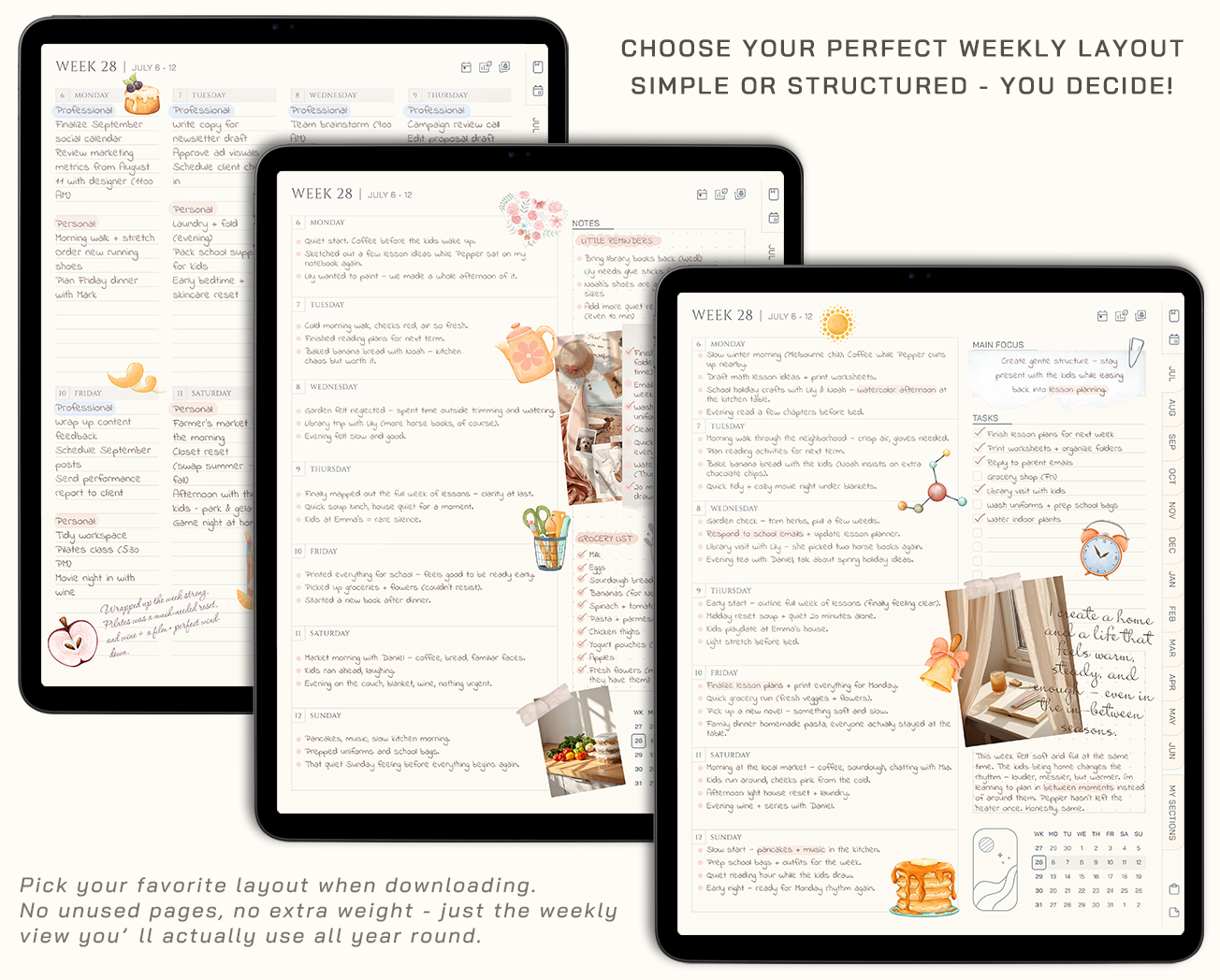
- Simple by designYou choose your layout before downloading - no clutter, no overwhelm.
- Ready when you areStart planning in minutes with a system that feels natural from the first page.
Why It Works
A flexible midyear planner designed around your real life
Start today
Instant Download
No shipping, no waiting. Start right after checkout.
One purchase
Lifetime Access
Your files are yours to keep and use anytime.
- Risk free
Shop confidently
14-Day Money-Back Guarantee
Try planner risk-free. If it’s not the right fit, contact us within 14 days of purchase for a refund.
Secure checkout, instant access, and friendly support if you need help getting started.
Minimal, But Never Boring
Style it once. Love it all year, with clean themes that feel just right, every time you open your planner
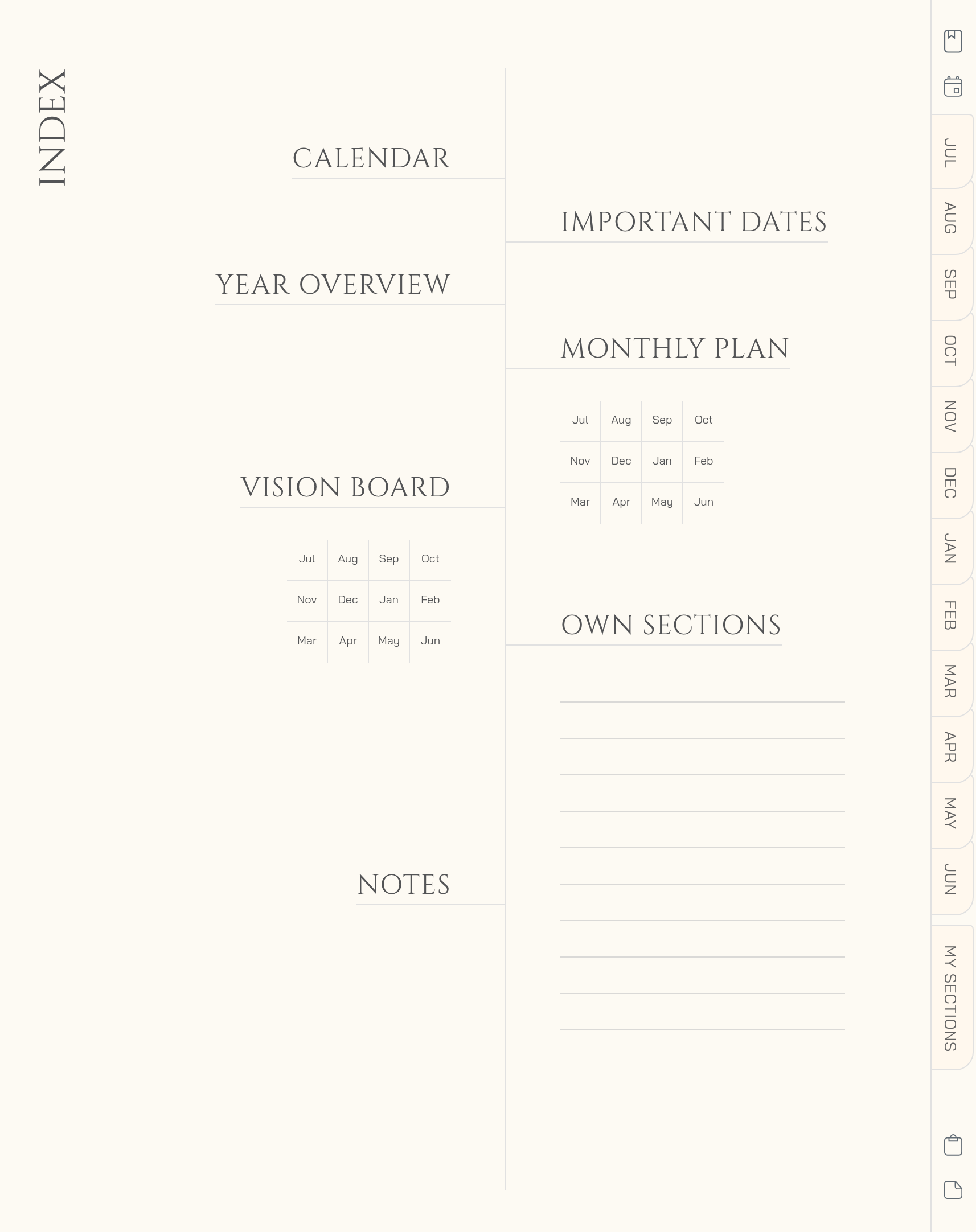
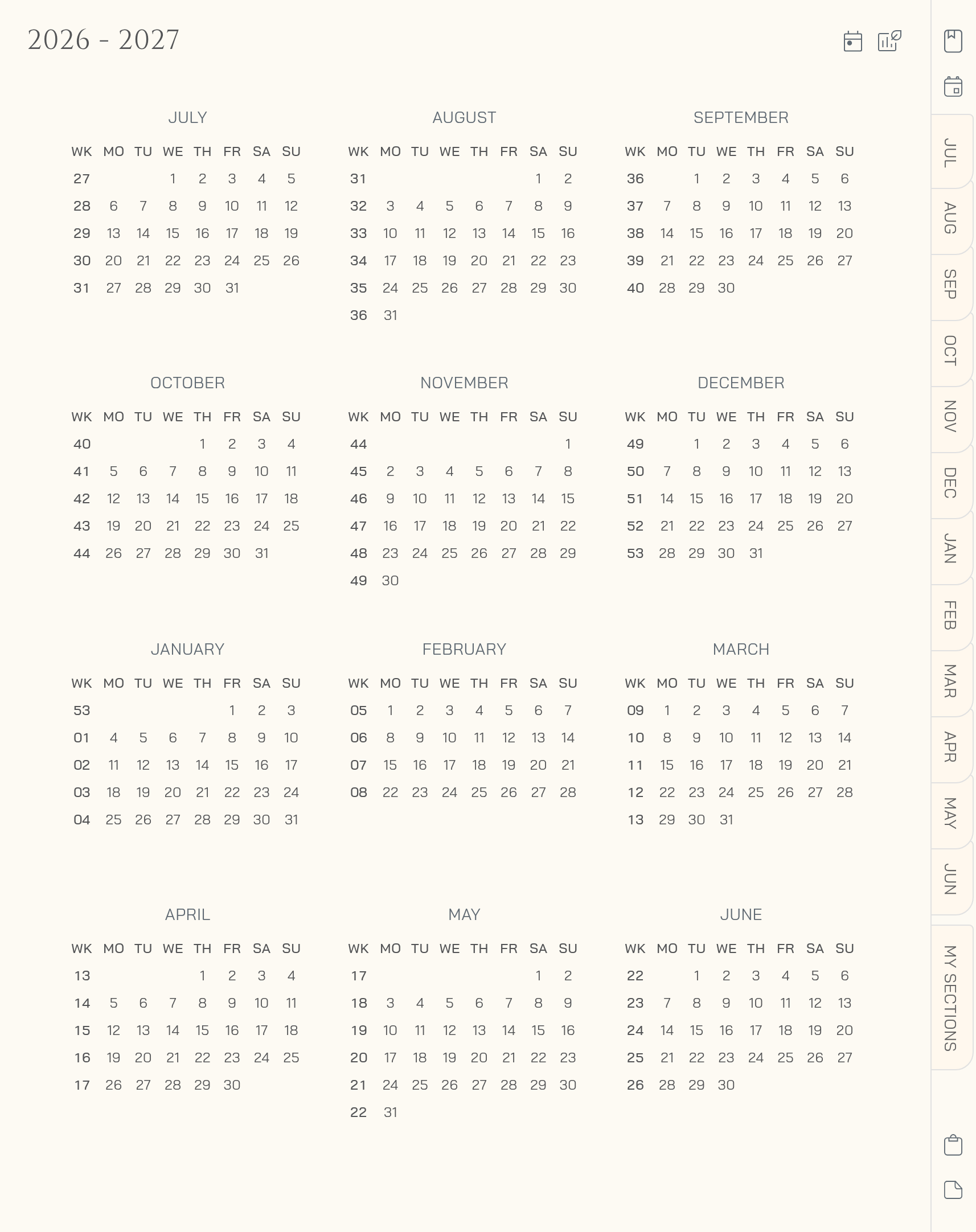
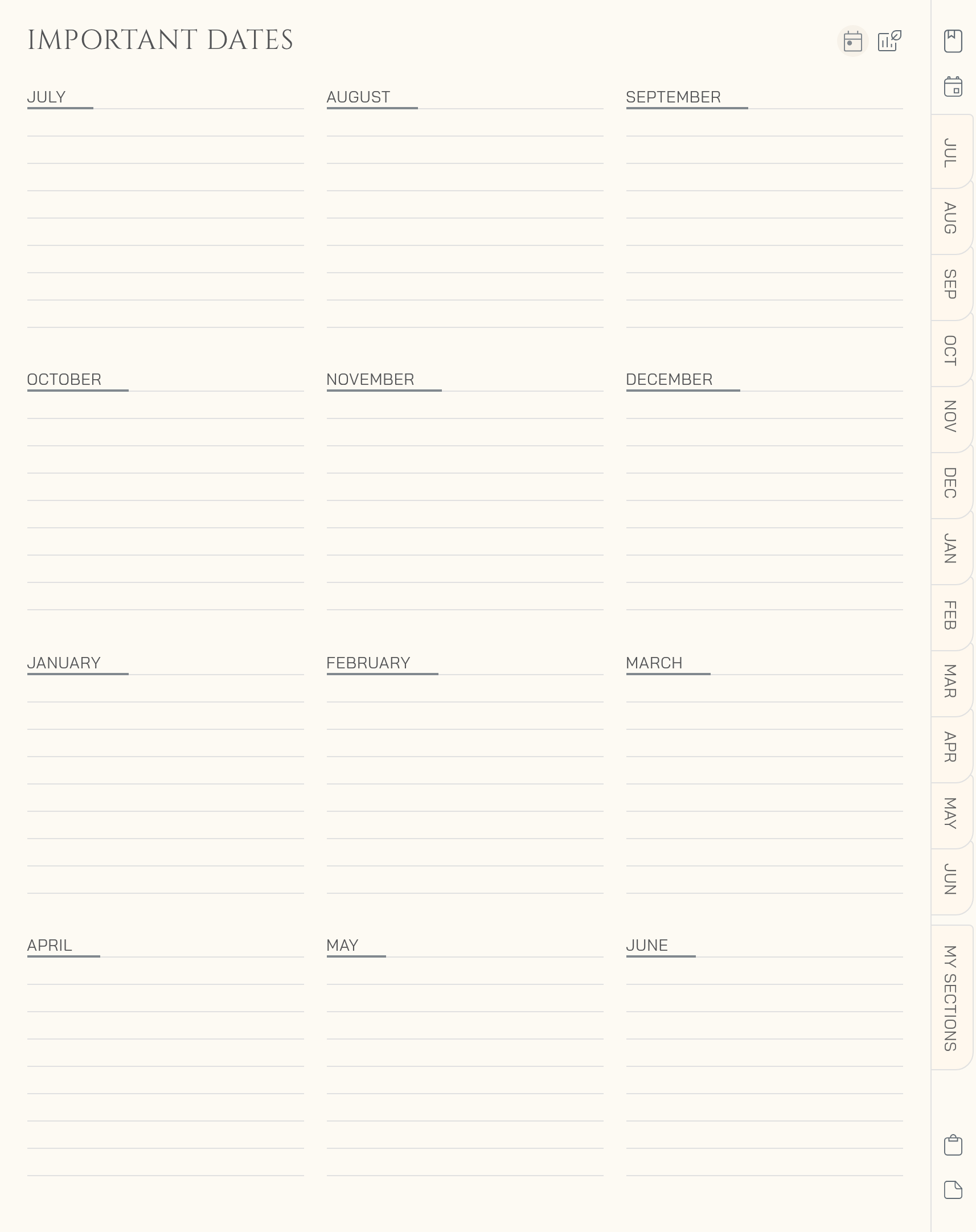
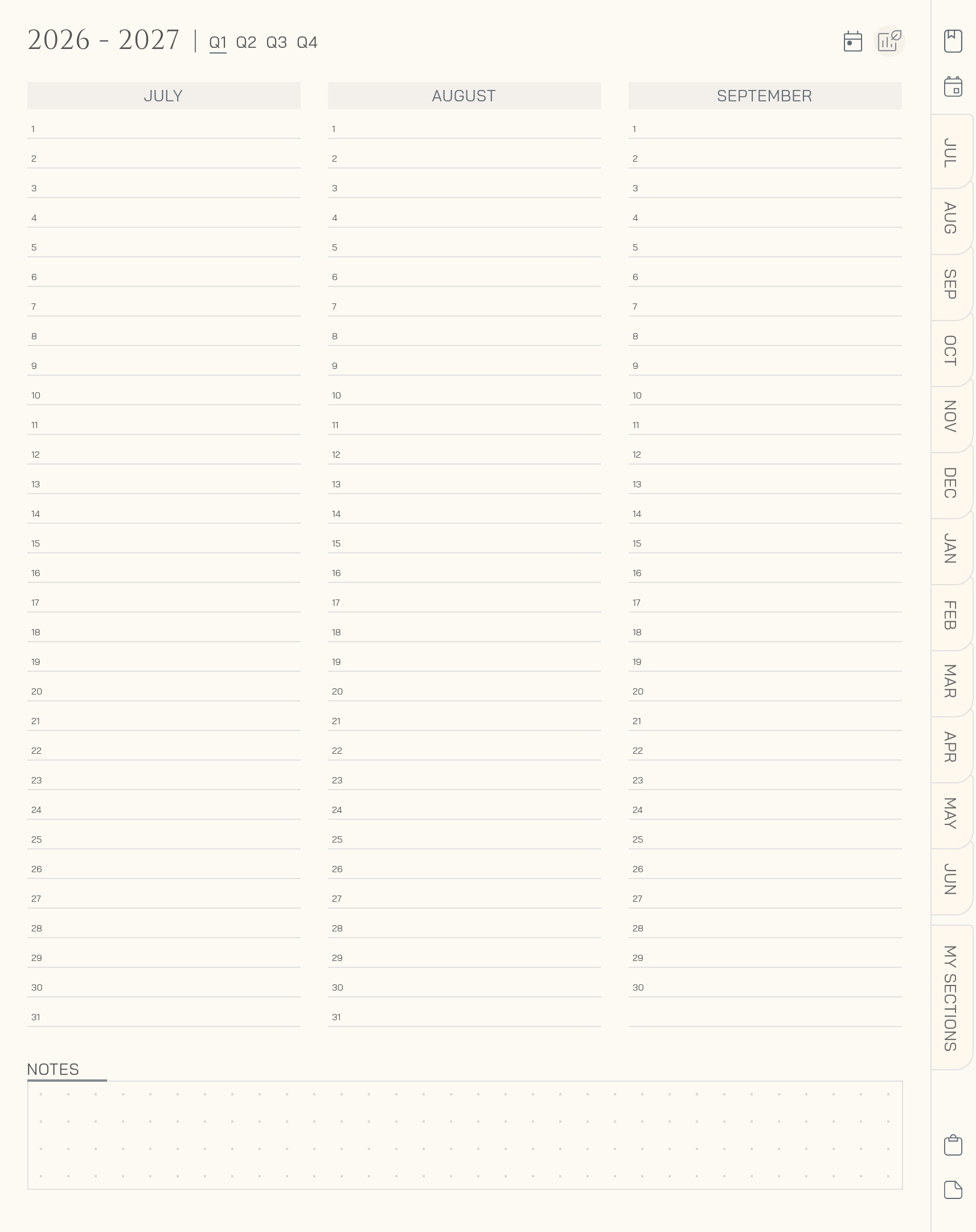
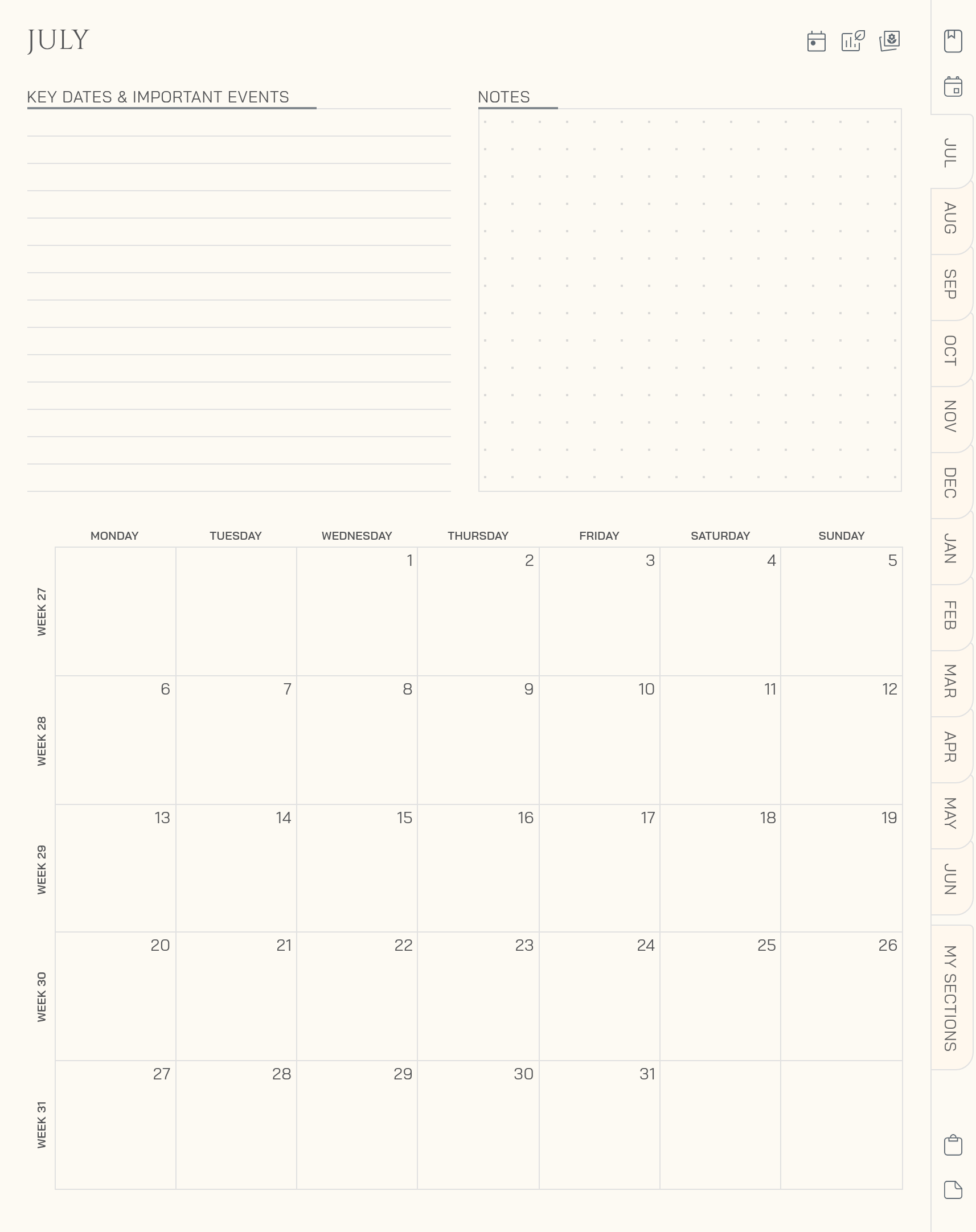
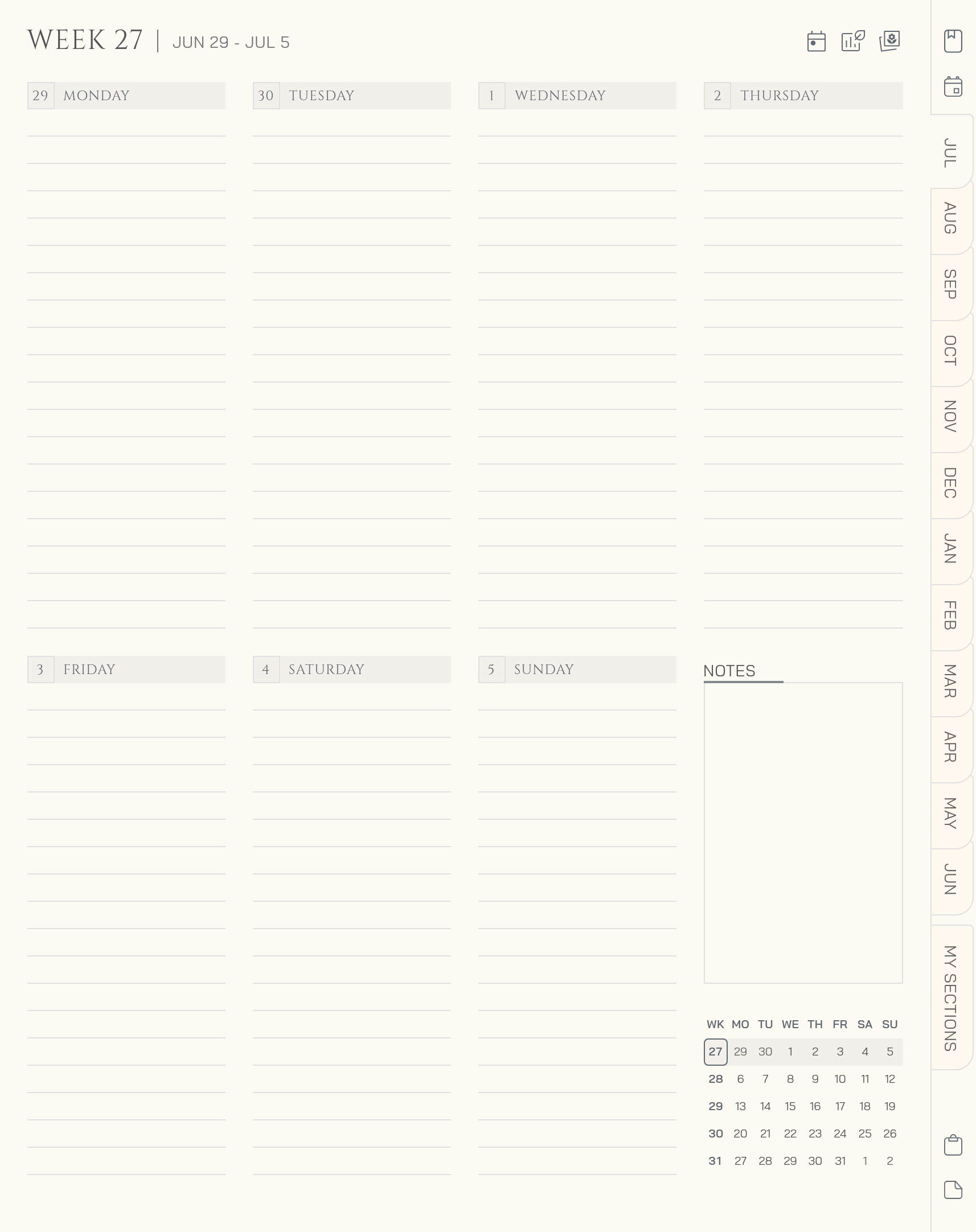
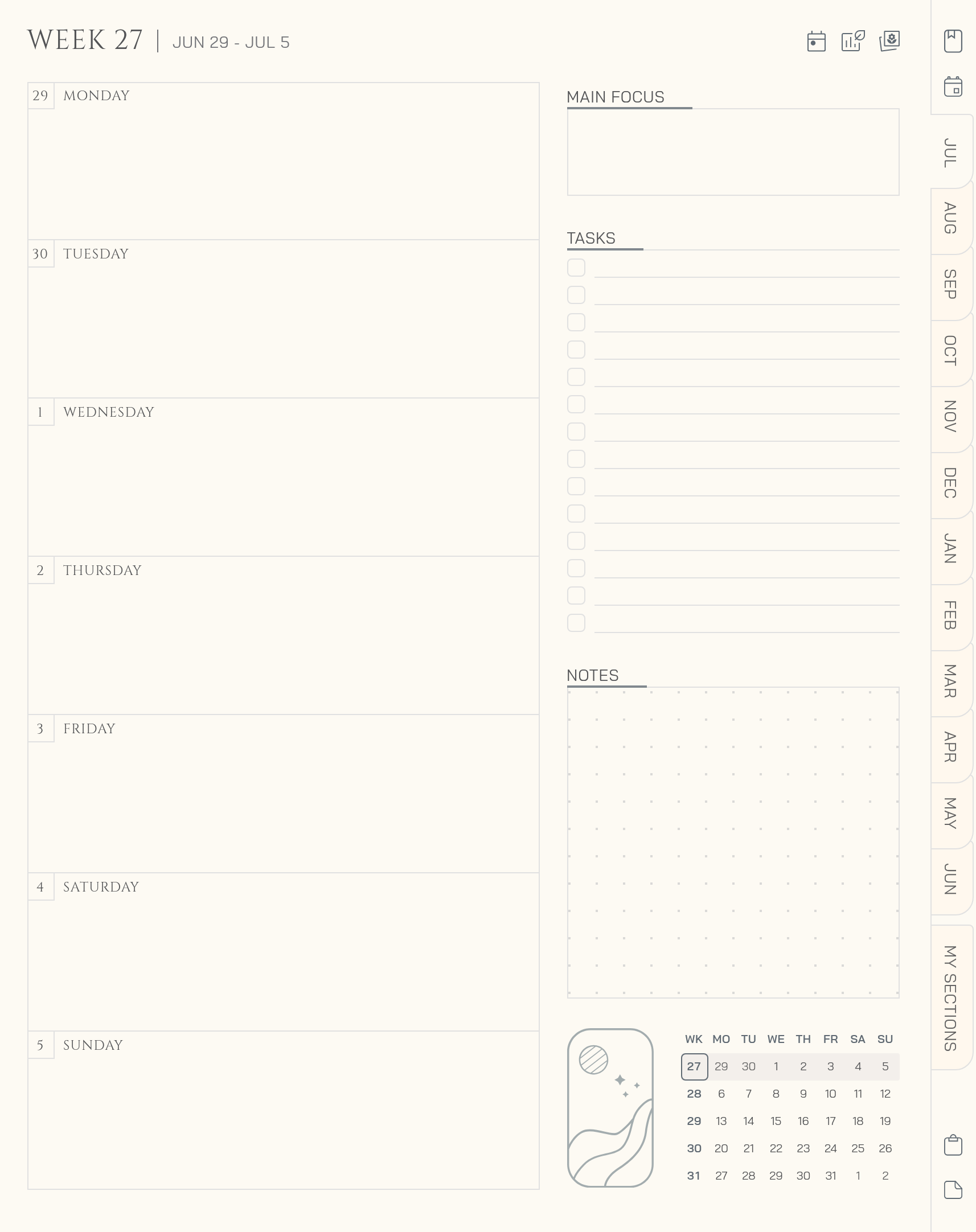
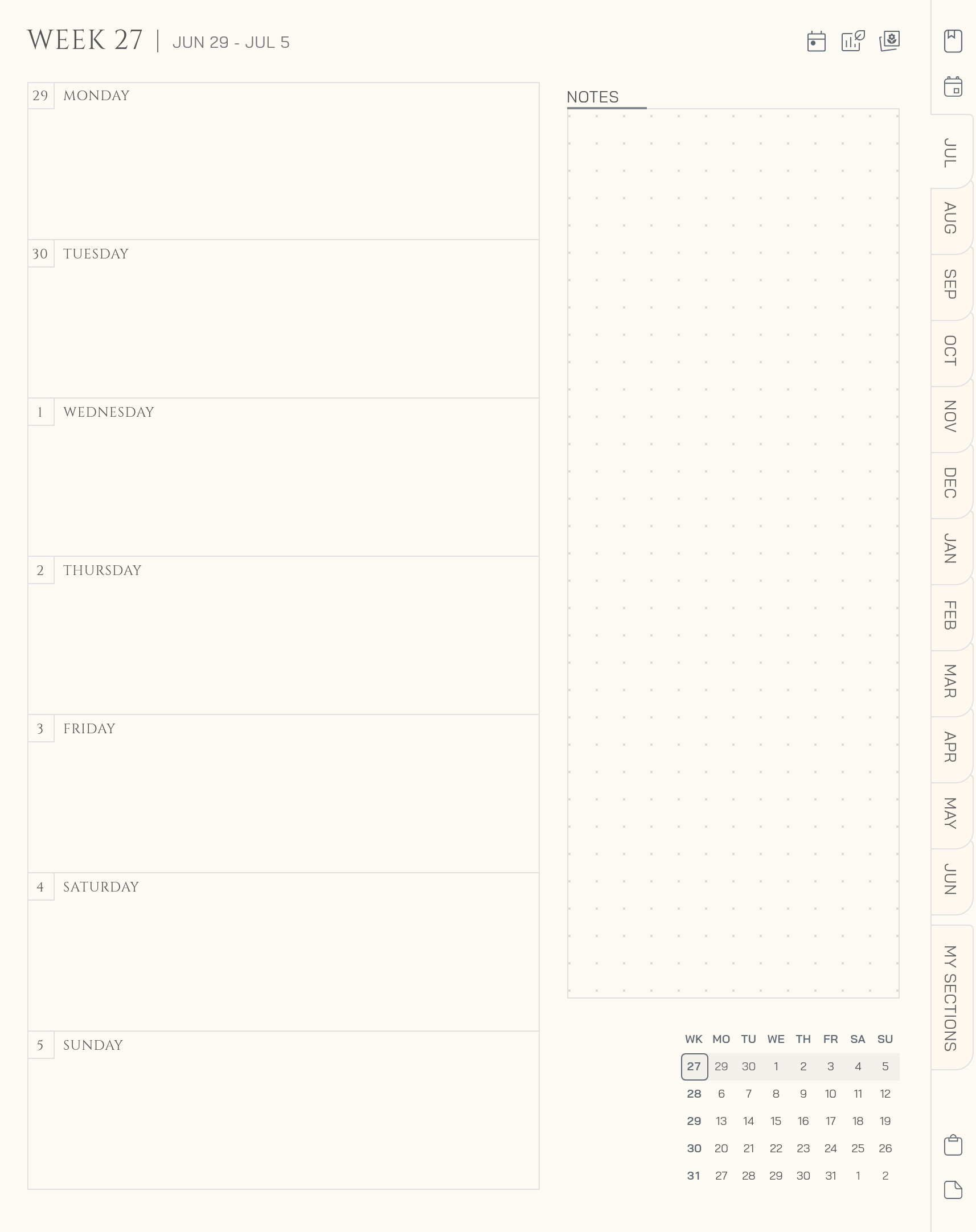
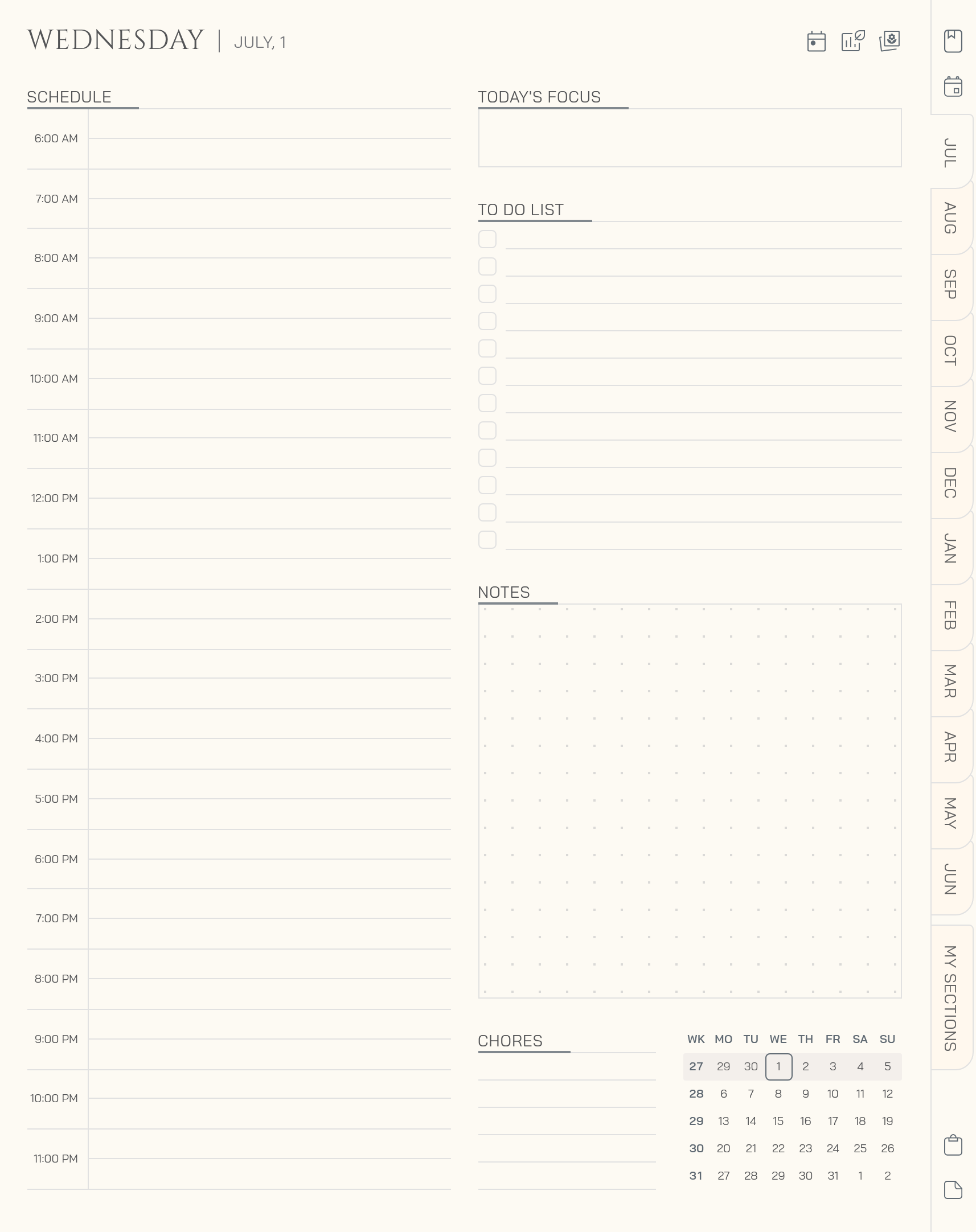
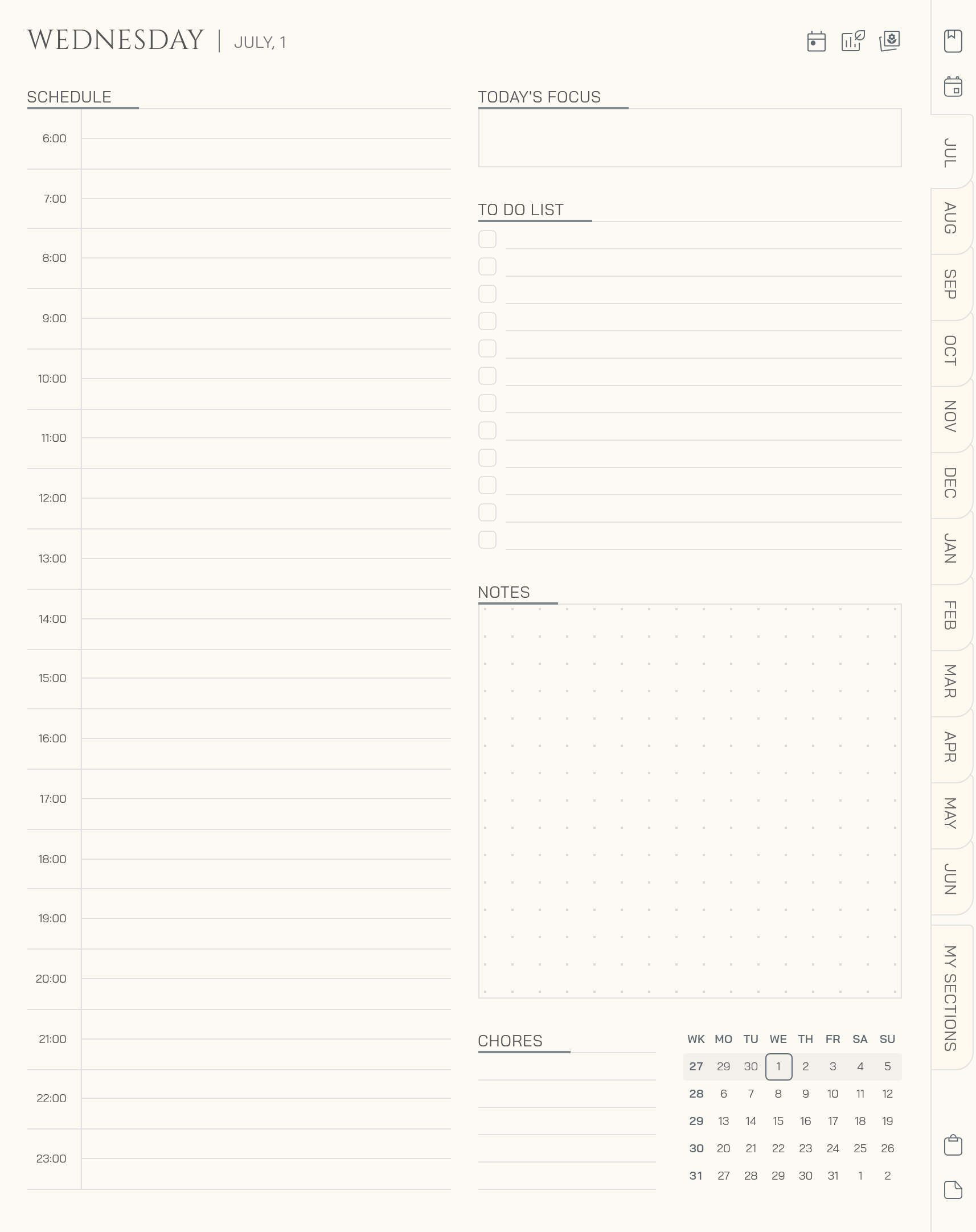
Choose a color to preview the pages
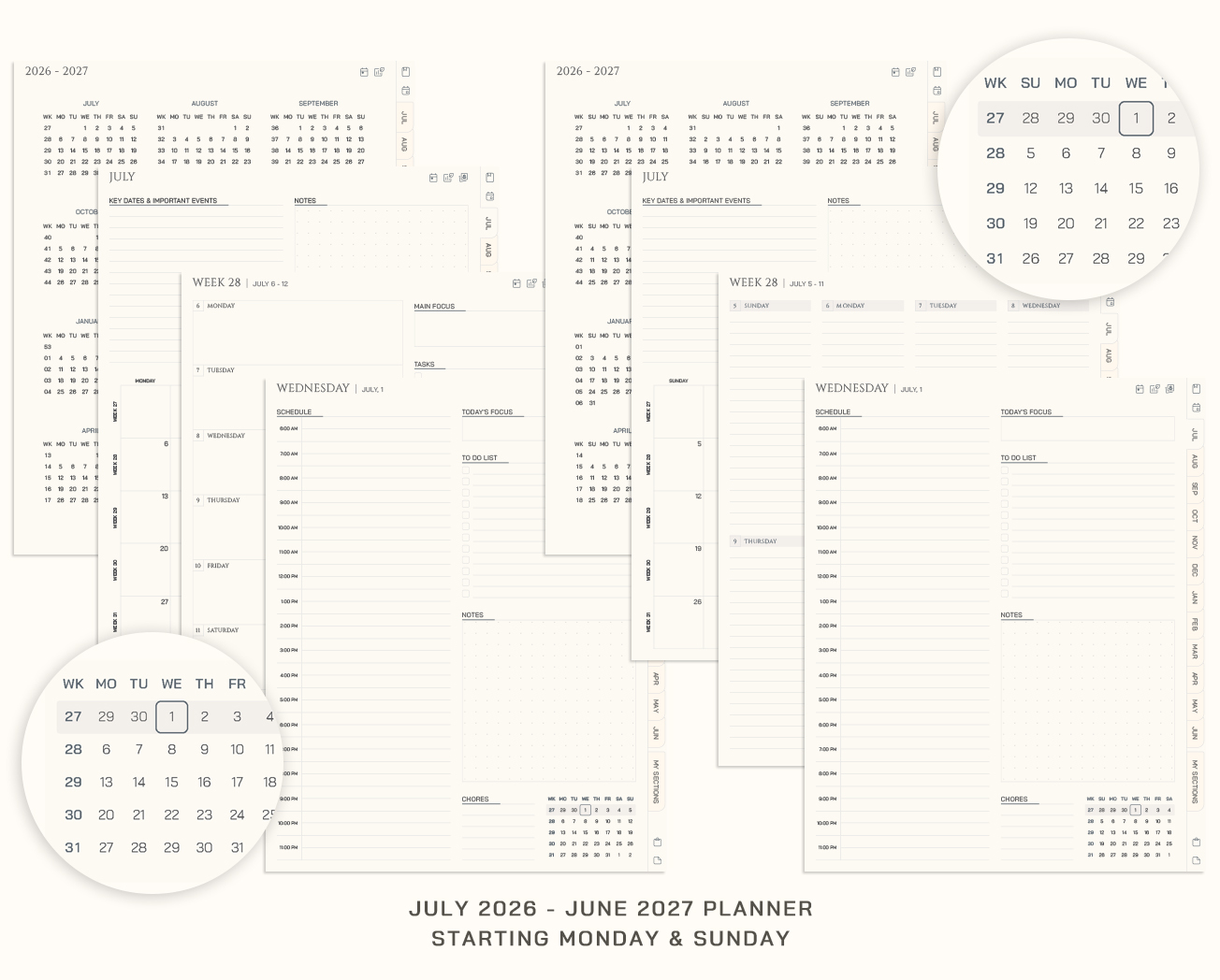
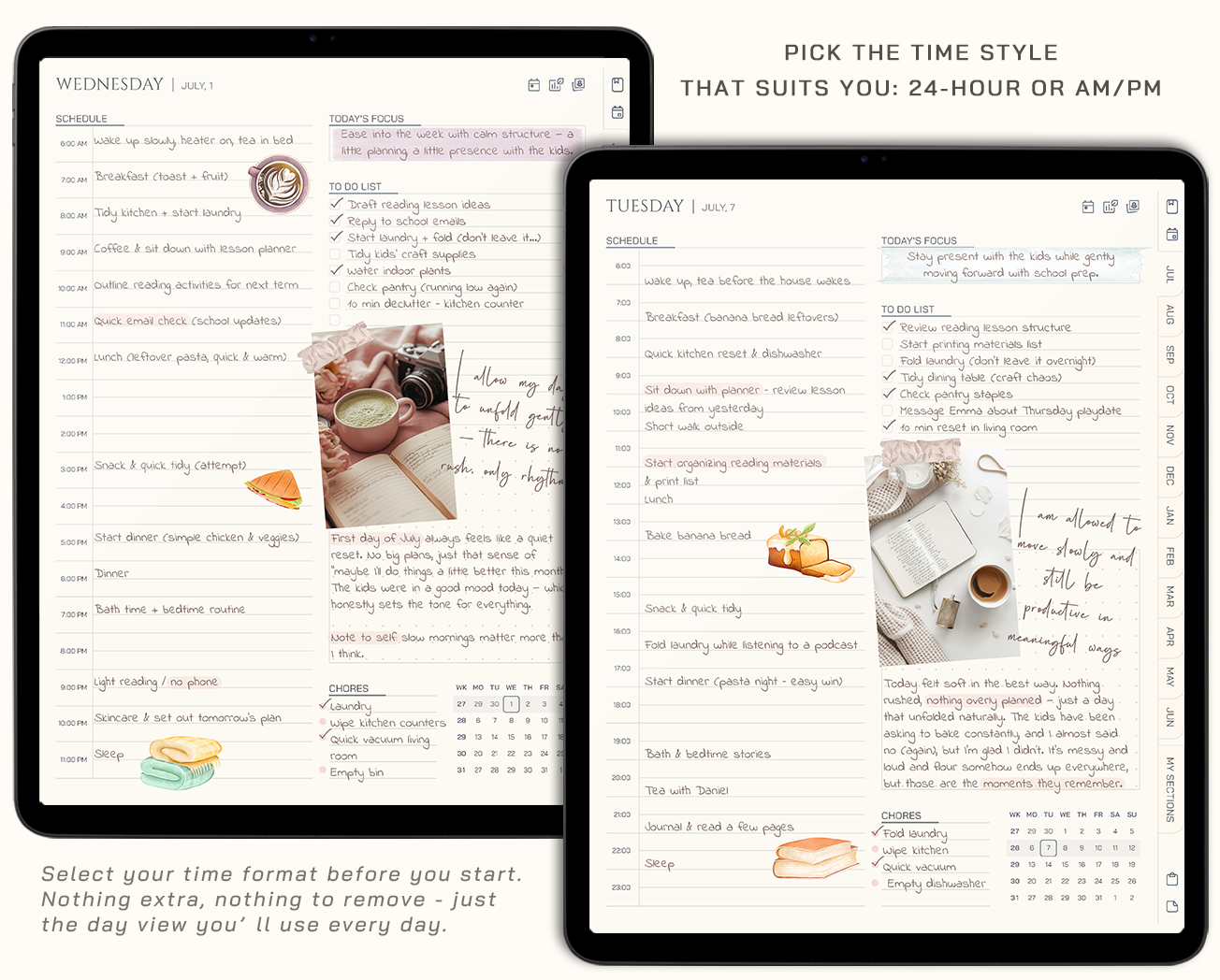
The Midyear Digital Planner 26/27 is a minimalist, hyperlinked planner designed for clarity, focus, and ease of use. Covering July 2026 through June 2027, it’s perfect for anyone who plans around the academic year or prefers a midyear start. Every page is hyperlinked for smooth, one-tap navigation between months, weeks, and days. Before downloading, you choose your preferred weekly layout (Complete Week, Balanced Week or Focused Week), time Format (24h or 12h (AM/PM) and five color themes, so your planner is perfectly tailored to you from the start.
You’ll also receive a quick-start instruction guide to help you import and begin instantly, along with a brand book with color palettes and fonts to help you keep your notes and pages looking beautifully consistent.
Here’s everything included:
- Digital Calendar (July 2026 – June 2027)
- Yearly Overview
- Important Dates
- Monthly Planner
- Monthly Vision Board
- Weekly Planner (choose from three layout options)
- Daily Planner (choose from time format)
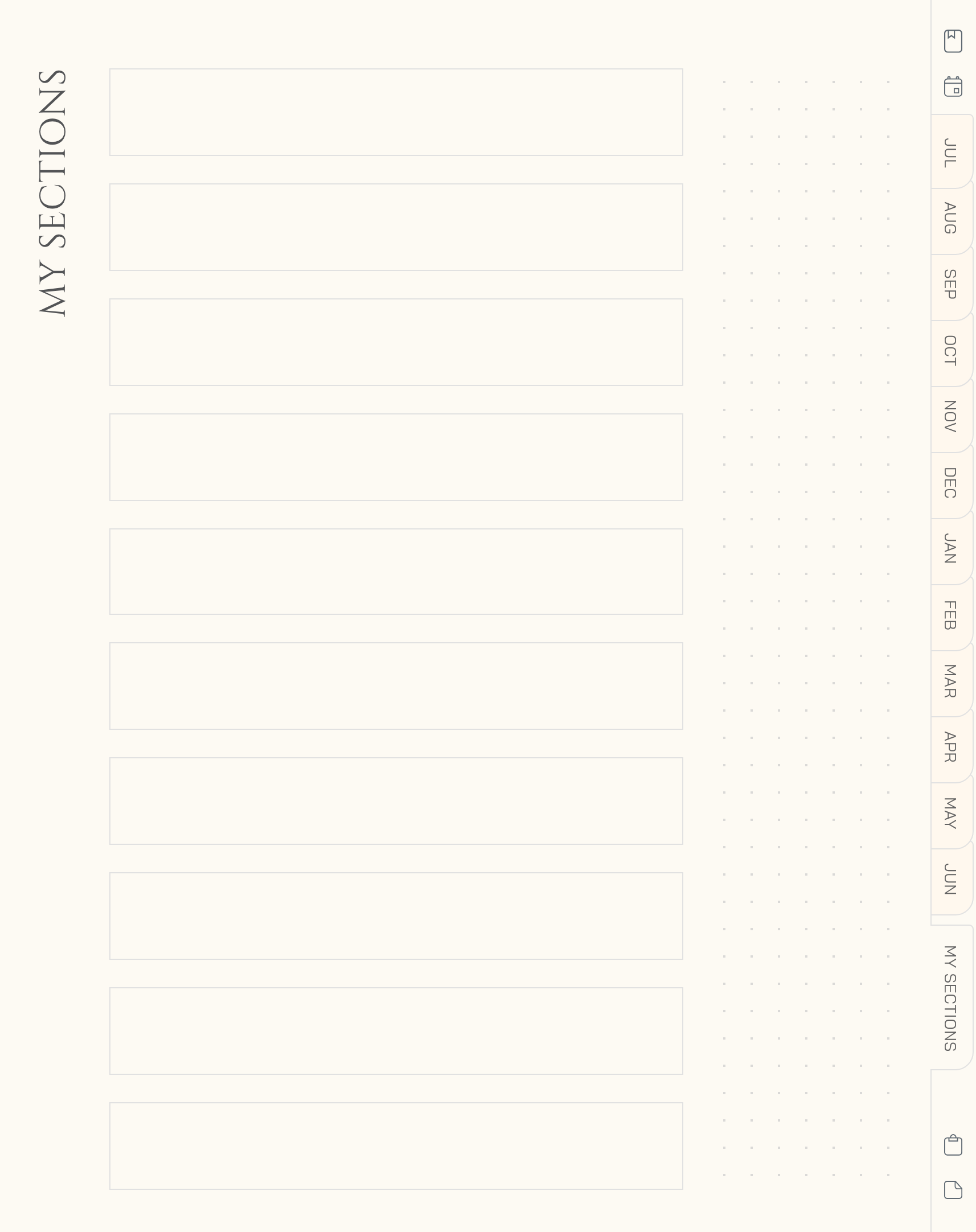
- 10 Custom Sections - add your own trackers, journals, or notes
All thoughtfully created to help you plan with purpose - and nothing that gets in your way.
If you’ve been looking for a calmer, simpler way to organize your year, this might be it. Choose your layout, pick your color, and start enjoying a planner that truly works with you, not against you.
Our customers love it
See why so many have made Bewely part of their daily routine
A lovely and simplistic planner. Couldn’t ask for more!
great planner, simple and effective
Perfect. Exactly what I was looking for
A lovely and simplistic planner. Couldn’t ask for more!
Loved it item was exactly as expected
Great planner, it works perfect
great planner, simple and effective
Minimal and useful planner. Links work as they should. Plenty of space for writing in the planner. Love it use it daily for work.
Gorgeous! If fit my needs perfectly and is easy to use.
Perfect. Exactly what I was looking for
This planner is just perfect for the first timer like me. Well organized and easy to use.
Love the simplicity of this planner and easy it is to navigate!
Start Free. Plan Freely.
Subscribe and get instant access to your free digital notebook
Plan Where You’re Comfortable
Works seamlessly with popular note taking apps for a smooth, frustration free experience from day one





FAQ: Everything You Need to Know
Let’s clear things up. Here’s what most people ask.
What is a digital planner?
A digital planner is a planner you use inside a note-taking app, like GoodNotes, Notability, Noteshelf, Xodo, or a similar PDF app. You can write on the pages, click tabs and links, add stickers, and keep your schedule beautifully organized in one place.
It gives you the calm, visual feeling of a paper planner — but with more freedom, less clutter, and instant access from your device.
Is this a physical product?
No. This is a digital product, so nothing will be shipped to you. After purchase, you’ll receive instant access to download your files and start using them right away.
No waiting, no shipping cost, and no paper clutter.
What do I need to use the planner?
You’ll need a device that can open PDF files and a note-taking or PDF app. Many customers use apps like GoodNotes, Notability, Noteshelf, Xodo, or similar apps.
Once you open the file in your app, you can write, type, highlight, add stickers, and use the clickable links inside the product.
Is it easy to use if I’m new to digital planning?
Yes. The product is designed to feel simple and intuitive, even if this is your first digital planner, notebook, or journal.
Just download the file, open it in your favorite app, and start planning or writing. You don’t need any complicated setup to begin.
Can I use the planner on more than one device?
Yes. You can use your files on your personal devices, as long as you have a compatible app on each one.
For example, you can plan on your iPad and also open the file on your phone when you want to quickly check something.
Can I reuse the pages?
Yes. One of the best parts of digital planning is flexibility. In many note-taking apps, you can duplicate pages, move pages, delete pages, or add extra copies whenever you need them.
This makes your planner, notebook, or journal easy to adjust to your real life — not the other way around.
Can I print it?
This product is created mainly for digital use, but you can print pages for your own personal use if you want to.
What happens after I buy?
After checkout, you’ll receive access to your digital files. You can download them, open them in your chosen app, and start using your product right away.
If you have any trouble accessing your files, just contact us and we’ll help you.
What if I don’t like it?
We want you to feel happy with your purchase. That’s why we offer a 14-day money-back guarantee on all purchases.
If you’re not satisfied with your order for any reason, simply contact us within 14 days and we’ll provide a full refund. See full details in our Return Policy
Can I share the files with someone else?
No. All digital products are for personal use only. Please don’t share, resell, copy, upload, or distribute the files.
If a friend loves the design, they’ll need to purchase their own copy from the shop. This helps support our small business and allows us to keep creating new digital products.
Make it yours
Add a little more joy to every page
Complete your planner with digital stickers made to add personality, color, and inspiration to your routine. Pick a favorite and start decorating your pages right away.
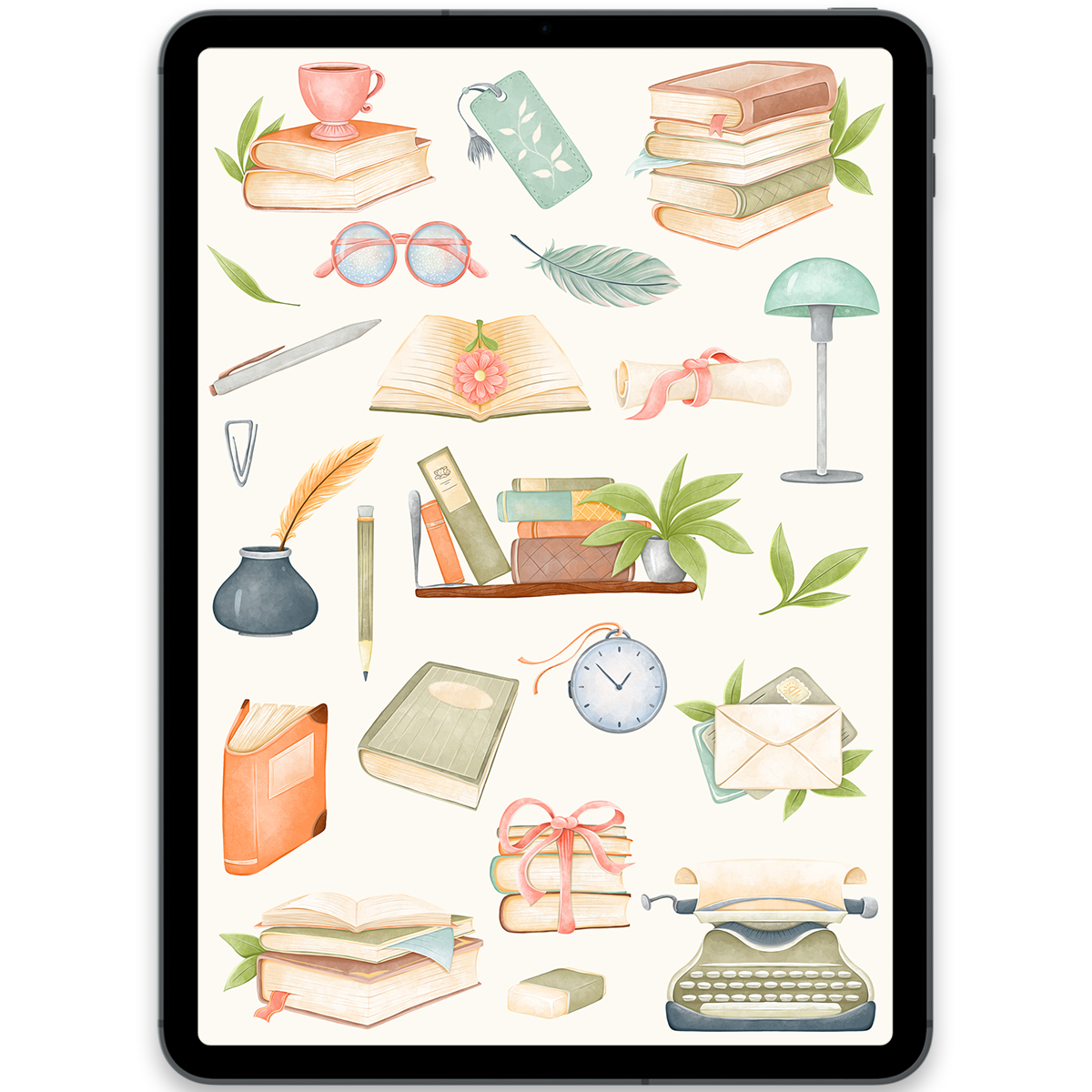
Books Stickers
$5.00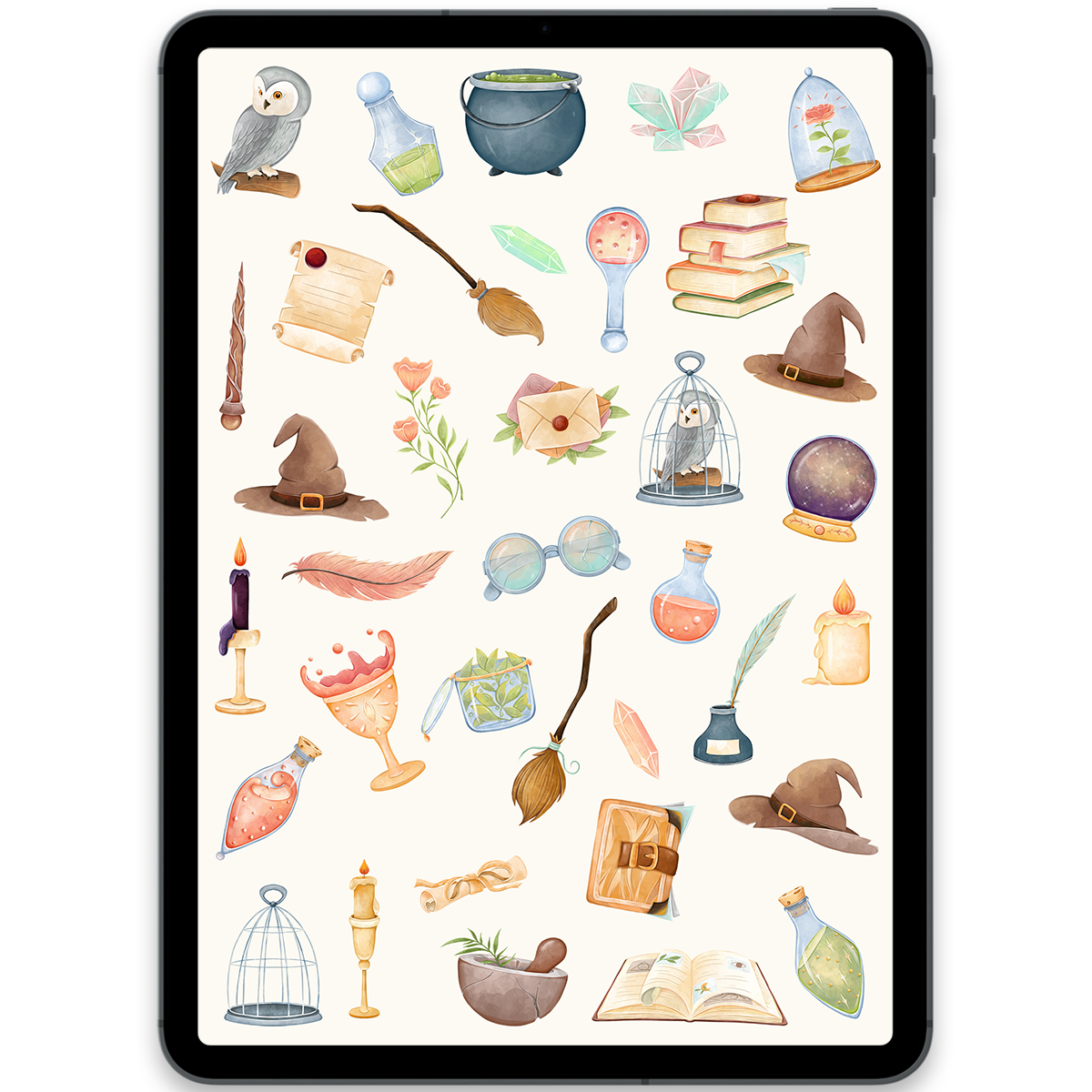
Magic School Stickers
$5.00
You may also love
Discover more planners designed to support your goals
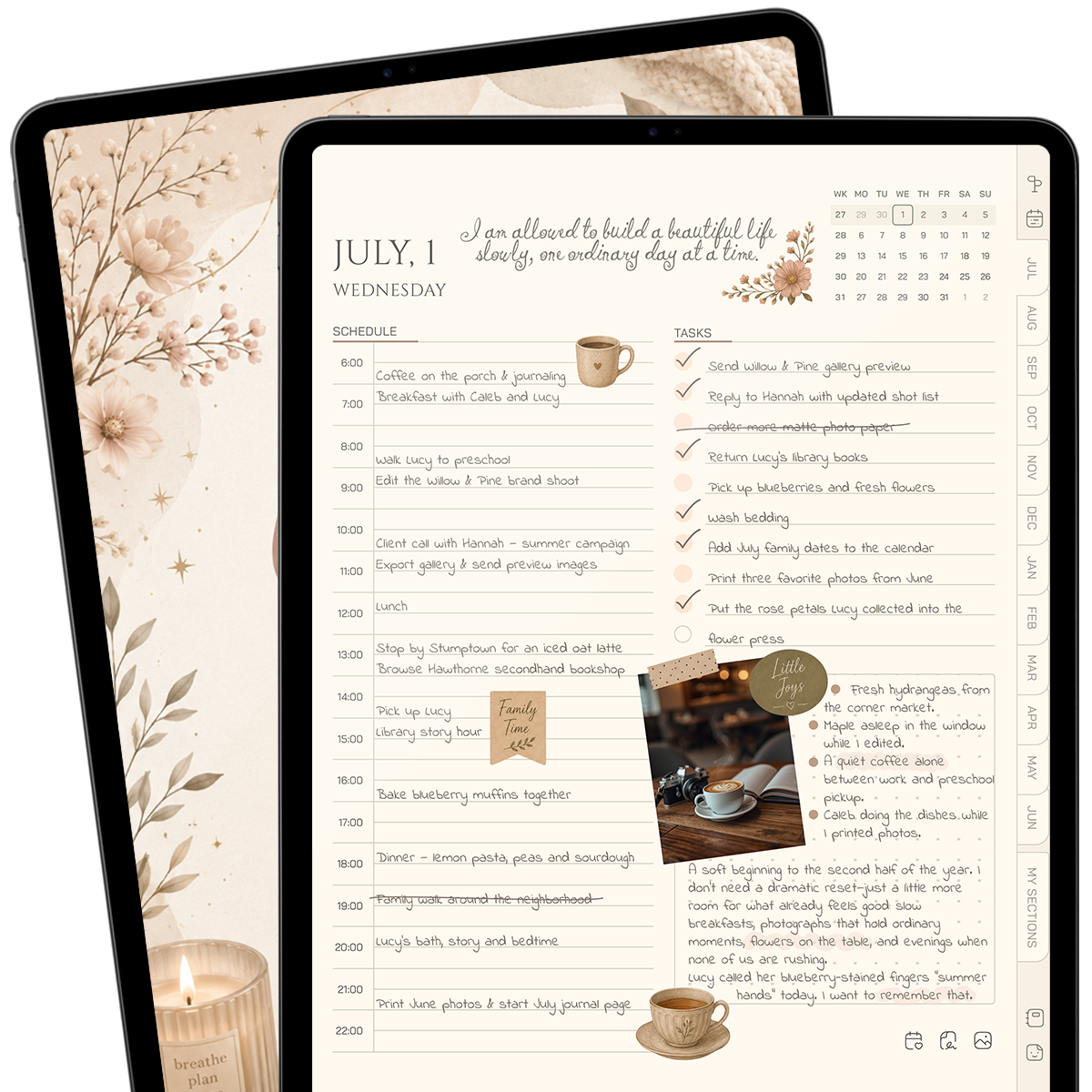
Cozy Midyear Planner 26/27
$8.00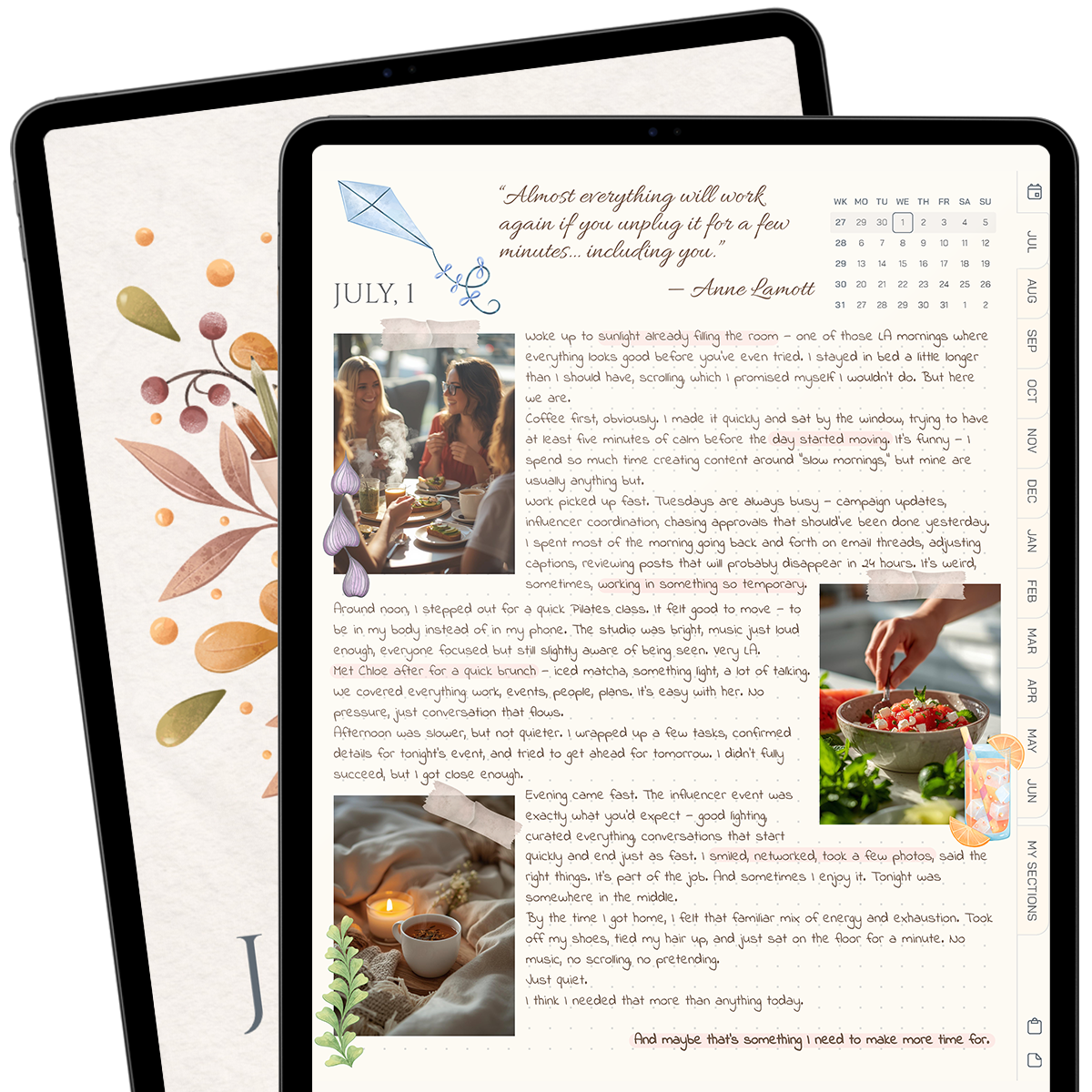
Midyear Journal 26/27
$10.00- 75%
Off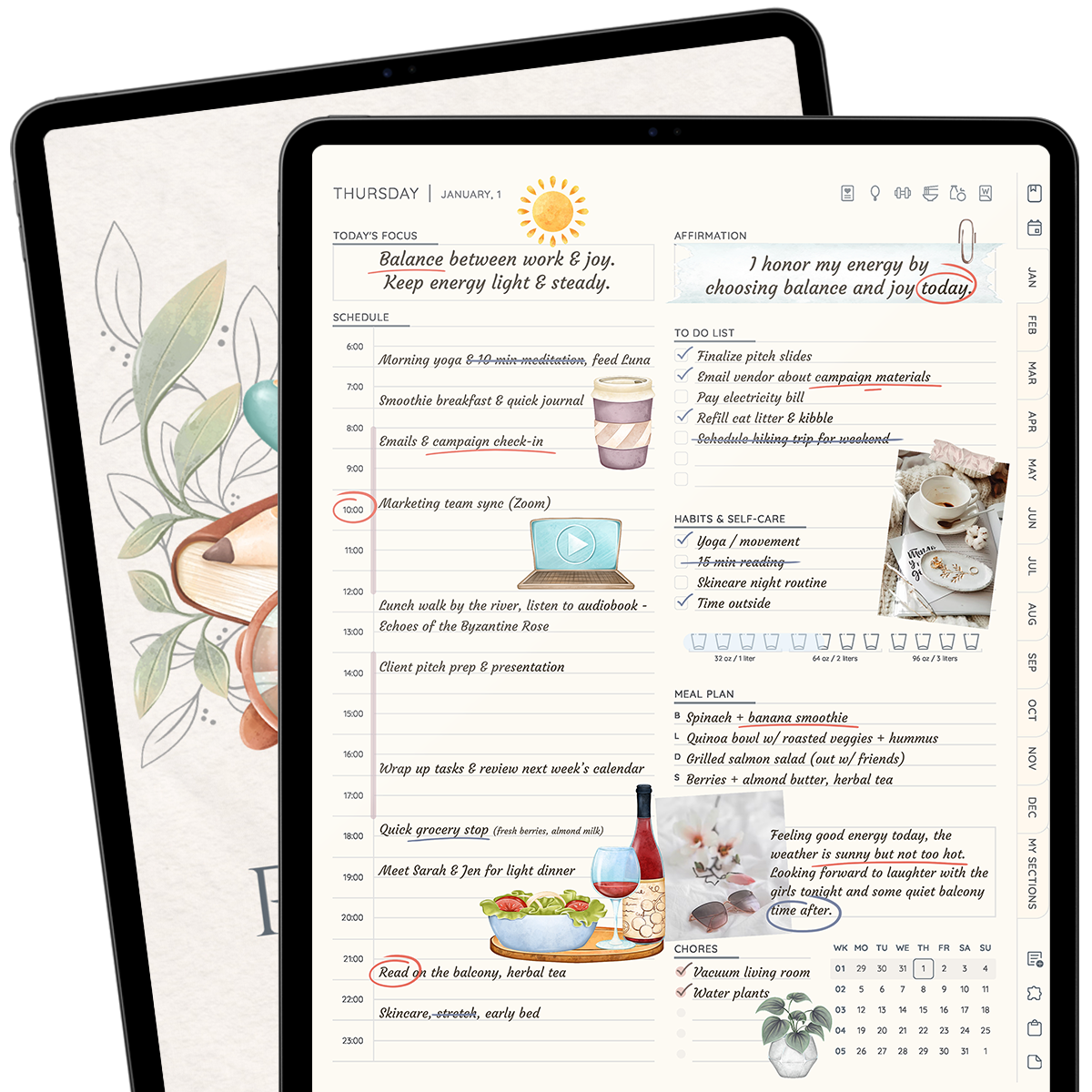
All-in-One Planner 2026
$6.25$25.00